How to Automate Sales Pipeline Tracking in HubSpot: Complete Guide
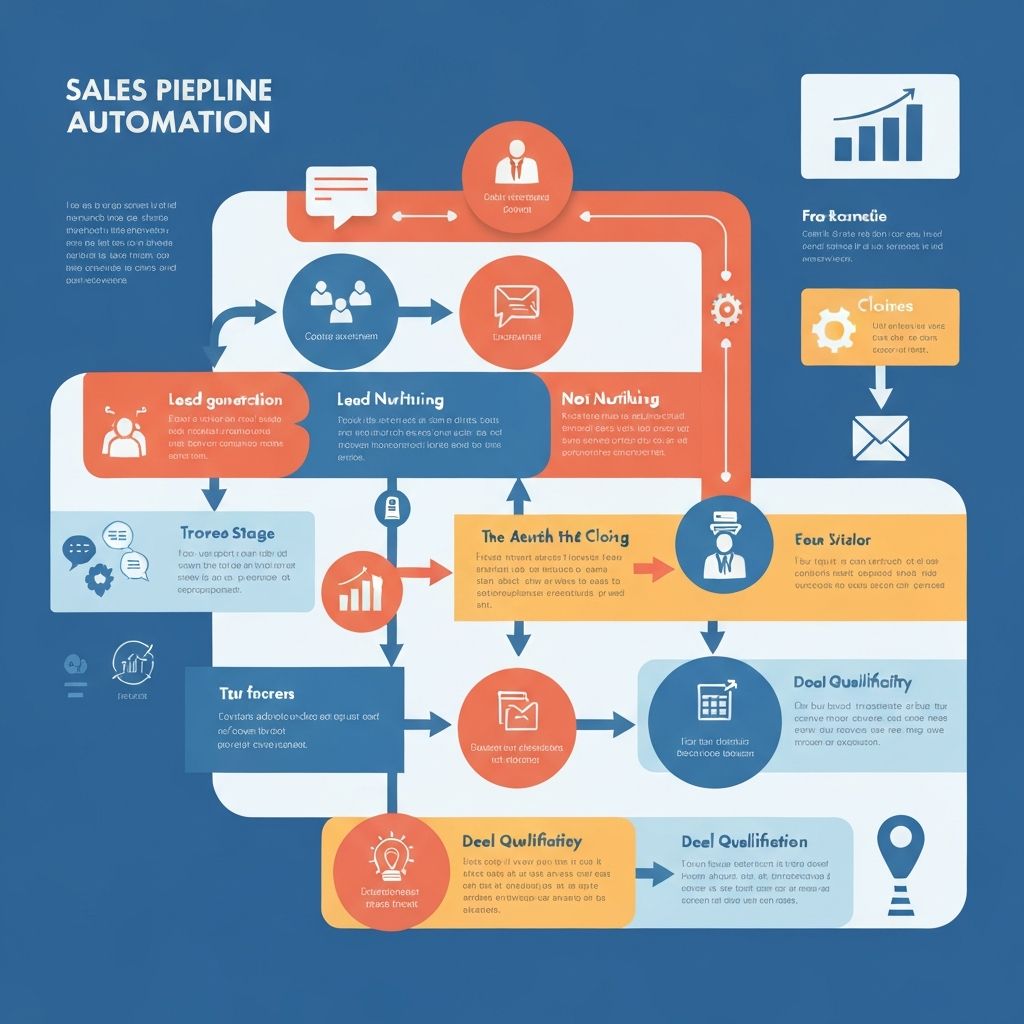
How to Automate Sales Pipeline Tracking in HubSpot: Complete Guide
Stop losing deals to manual tracking. Learn how to automate your HubSpot sales pipeline for better visibility, faster deal movement, and higher close rates.
Why Manual Pipeline Tracking Is Costing You Deals
Every manual update is a potential point of failure. Sales reps forget to move deals, update stages, or log activities. The result? Deals slip through the cracks, forecasts become unreliable, and managers lack real-time visibility into pipeline health.
According to recent studies, sales teams spend up to 17% of their time on manual data entry and CRM updates. That's nearly one full day per week that could be spent actually selling.
Common Problems with Manual Tracking:
- Delayed Updates: Deals sit in the wrong stage for days or weeks
- Inconsistent Data: Different reps follow different processes
- Poor Visibility: Managers can't trust pipeline reports
- Missed Follow-ups: No automatic reminders for stuck deals
- Inaccurate Forecasting: Manual data leads to unreliable projections
The 5 Essential HubSpot Sales Pipeline Automations
1. Automatic Deal Stage Progression
Set up workflow automation that moves deals forward based on specific triggers:
When to Use: Automate stage changes when key activities are completed
How to Set It Up:
- Navigate to Automation → Workflows in HubSpot
- Create a deal-based workflow
- Set enrollment trigger (e.g., "Meeting Scheduled" activity logged)
- Add action: "Set deal stage to 'Qualified Lead'"
- Add delay of 1 hour (prevents immediate stage jumping)
- Review and activate
Pro Tip: Add multiple if/then branches based on deal properties. For example, if deal value > $50,000, require manager approval before moving to "Proposal Sent" stage.
2. Stuck Deal Alerts
Automatically notify sales reps and managers when deals haven't been updated within a specific timeframe.
When to Use: Prevent deals from going stale in your pipeline
How to Set It Up:
- Create a deal-based workflow
- Enrollment trigger: Deal stage = "Qualified Lead" AND Last activity date is more than 7 days ago
- Action: Send internal notification to deal owner
- Second action: Create task "Follow up on stuck deal"
- Add re-enrollment: Check daily if deal is still stuck
Result: No more forgotten deals. Your team gets automatic reminders to engage with prospects before they go cold.
3. Win/Loss Analysis Automation
Capture valuable insights automatically when deals close.
When to Use: Build a database of win/loss reasons for strategic improvement
How to Set It Up:
- Create two workflows: one for closed-won, one for closed-lost
- Enrollment trigger: Deal stage = "Closed Won" (or "Closed Lost")
- Action: Send internal email with survey link to rep
- Use HubSpot forms to collect: Win/loss reason, competitor information, decision factors
- Automatically populate deal properties with survey responses
Advanced Tip: Use this data to create win/loss reports by competitor, deal size, or sales rep for continuous improvement.
4. Deal Rotation and Assignment
Distribute incoming deals fairly and automatically to sales team members.
When to Use: Ensure even workload distribution and faster response times
How to Set It Up:
- Create a deal-based workflow
- Enrollment trigger: Deal is created AND Deal owner is unknown
- Action: Rotate deal owner (requires Sales Hub Professional or Enterprise)
- Alternative: Use if/then branches with custom rotation logic based on:
- Territory
- Deal size
- Industry
- Current rep workload
Why It Matters: Leads get immediate ownership, eliminating the "someone else will handle it" problem.
5. Real-Time Pipeline Health Dashboard
Create automated reports that email stakeholders weekly pipeline summaries.
When to Use: Keep leadership informed without manual report creation
How to Set It Up:
- Build a custom report in HubSpot Analytics
- Include metrics: Total pipeline value, deals by stage, velocity, win rate
- Schedule automated email delivery every Monday morning
- Add conditional formatting to highlight at-risk deals
Pro Feature: Set up Slack notifications when pipeline value drops below threshold or when high-value deals enter/exit specific stages.
Implementation Roadmap: 30-Day Plan
Week 1: Foundation
- Audit current pipeline stages and deal properties
- Document current manual processes
- Identify top 3 pain points to automate
Week 2: Core Automations
- Implement automatic deal stage progression
- Set up stuck deal alerts
- Test with small group of sales reps
Week 3: Advanced Features
- Build win/loss analysis automation
- Create deal rotation rules
- Develop custom reports
Week 4: Optimization
- Review automation performance
- Gather feedback from sales team
- Refine trigger conditions and actions
- Train team on new automated workflows
Measuring Success: Key Metrics to Track
| Metric | Before Automation | Target After Automation | How to Measure |
|--------|------------------|------------------------|----------------|
| Time in Pipeline | 45 days | 30 days | Average deal age by stage |
| Manual Updates/Week | 150+ | 50 or less | Activity log analysis |
| Forecast Accuracy | 65% | 85%+ | Closed deals vs. forecast |
| Deals Lost to Inactivity | 15% | <5% | Closed-lost reason analysis |
| Sales Rep CRM Time | 8 hours/week | 3 hours/week | Time tracking survey |
Common Mistakes to Avoid
Over-Automation: Don't automate every single stage change. Keep critical decision points manual (like moving to "Contract Sent").
Ignoring Edge Cases: Build in exceptions for high-value deals that need special handling.
No Testing Period: Always pilot automations with a small team before rolling out company-wide.
Forgetting to Train: Even the best automation fails if your team doesn't understand how it works.
Real-World Success Story
A B2B SaaS company with a 15-person sales team implemented these five automations and saw remarkable results:
- 40% reduction in average deal cycle time (from 45 to 27 days)
- 23% increase in win rate (from 18% to 22.1%)
- 8 hours per week saved per sales rep on manual CRM updates
- 91% forecast accuracy (up from 67%)
The ROI was clear: More deals closed, faster sales cycles, and happier reps who could focus on selling instead of data entry.
Getting Started Today
You don't need to implement all five automations at once. Start with stuck deal alerts and automatic stage progression—these two alone will deliver immediate value.
Action Steps:
- Log into your HubSpot account
- Navigate to Automation → Workflows
- Choose "Create workflow" → "Deal-based"
- Select one of the five automations above
- Follow the setup instructions
- Test with 1-2 deals before full deployment
Conclusion
Manual pipeline tracking is a liability in modern sales organizations. HubSpot's automation capabilities eliminate data entry, improve forecast accuracy, and give your team real-time visibility into deal health.
The five automations covered in this guide—automatic stage progression, stuck deal alerts, win/loss analysis, deal rotation, and pipeline dashboards—form the foundation of a high-performing sales operation.
Start small, measure results, and scale what works. Your sales team (and your closed-won numbers) will thank you.
---
Need help implementing these automations in your HubSpot portal? Our certified HubSpot experts can audit your current setup and build custom workflows tailored to your sales process. [Book a free consultation](#) to get started.
Related Topics
About Yaman Kaushik
Yaman Kaushik is a contributor at HubsPlanet, sharing insights on HubSpot best practices, CRM strategies, and marketing automation to help businesses grow smarter.
Table of Contents
Stay Updated
Get the latest HubSpot tips and strategies delivered to your inbox.
Need Expert Guidance?
Get personalized recommendations from our certified HubSpot consultants.
Reading Progress
Estimated 3 minutes remaining